EVENTRA.
Discover. Plan. Book. Experience.

A mobile event platform designed to make discovering, planning and experiencing events feel more connected.
Role
Product Designer
Platform
Mobile App
Tools
Figma
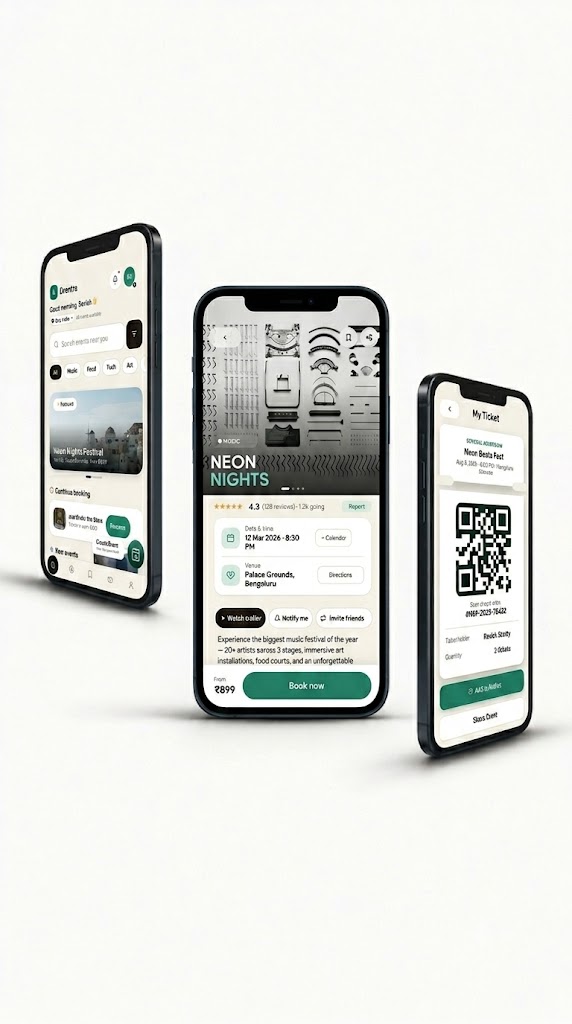
Eventra app showing Home, Event Details and My Ticket
Scroll
01 — The Starting Point

What are we doing this weekend?

A simple question. But finding the answer often means jumping between social media, search, conversations and ticketing platforms.

Instagram
Search
WhatsApp
Ticketing
Calendar
EVENTRA
02 — The Idea

Not just another place to buy tickets.

Eventra brings the important parts together — Discover, Explore, Plan, Book, Manage.

Discover
Explore
Saved
Calendar
Tickets
Profile
03 — Looking Closer

The problem wasn't just booking. It was everything around it.

01

I designed for discovery first.

Before anyone can decide to attend something, they need to see it — so the experience starts with discovery, not a search bar.

02

I gave choice more context.

An event page only earns a decision if it answers the key questions first — what, where, when, and how much.

03

I gave plans a place to live.

Once something felt worth attending, it needed a home — so saving and revisiting became core, not an afterthought.

04 — Rethinking the Journey

I stopped designing around the transaction. I designed around the experience.

🎟️
Discover
Explore
Decide
Plan
Book
Manage
SavedCalendarTicketsNotificationsProfile
05 — The Experience

The experience, step by step.

05.1 — Discover

Start with something worth discovering.

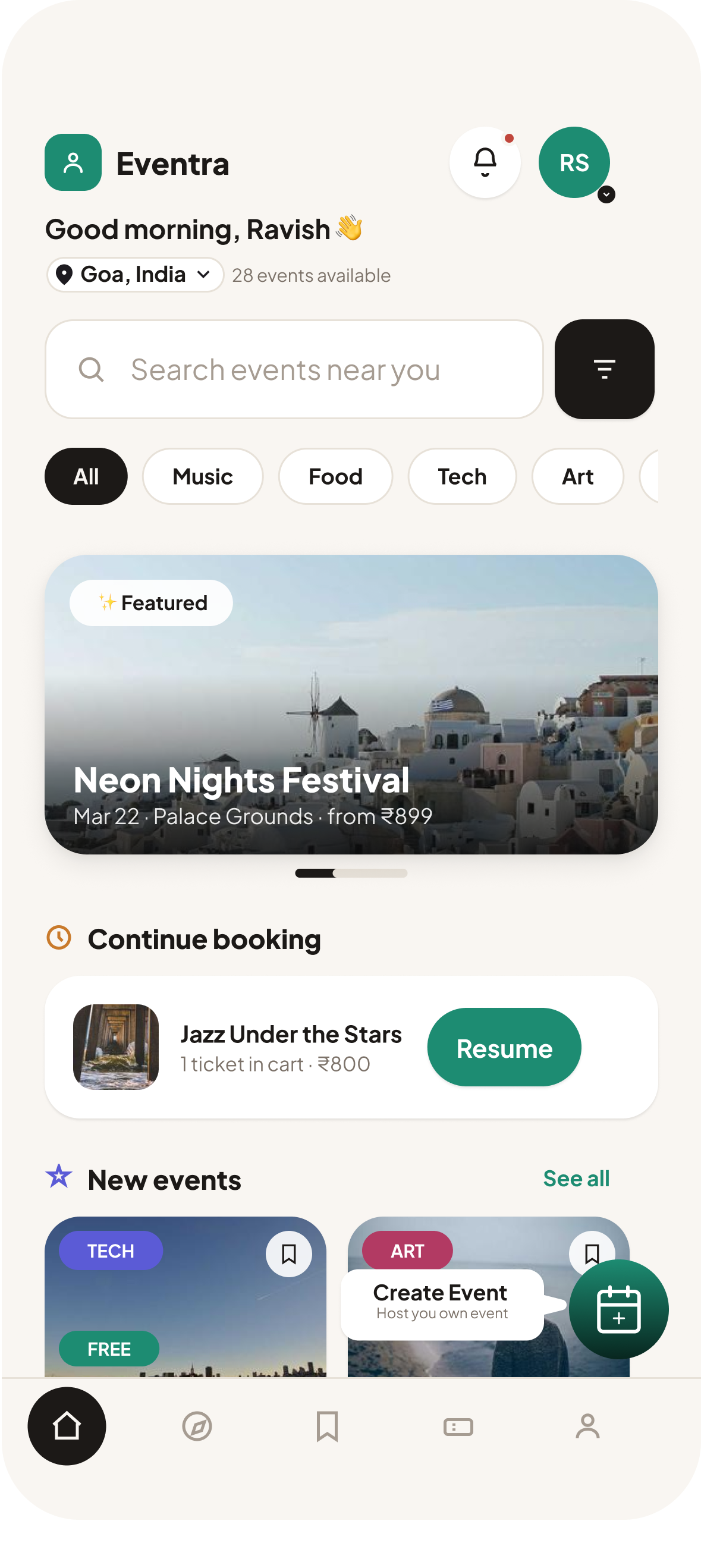
Home surfaces featured events and nearby content, so exploring doesn't require knowing exactly what you want.
HomePopularNearbyCategories
Discover screen — Eventra home
05.2 — Explore

When you know what you're looking for, get there faster.

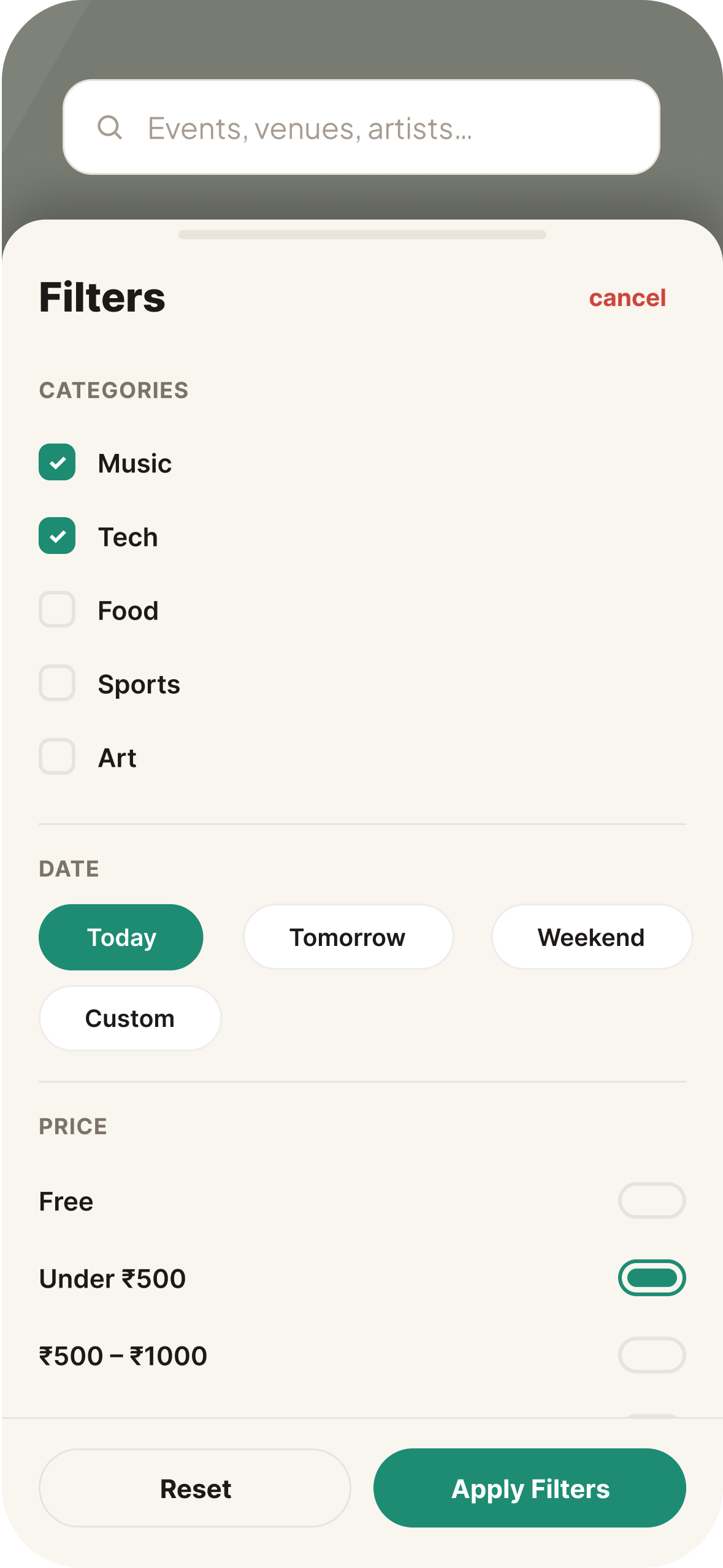
Search and categories sit in the open, not behind extra taps.
SearchCategoriesFiltersResults
Explore screen — Eventra search
05.3 — Decide

Before people book, they decide.

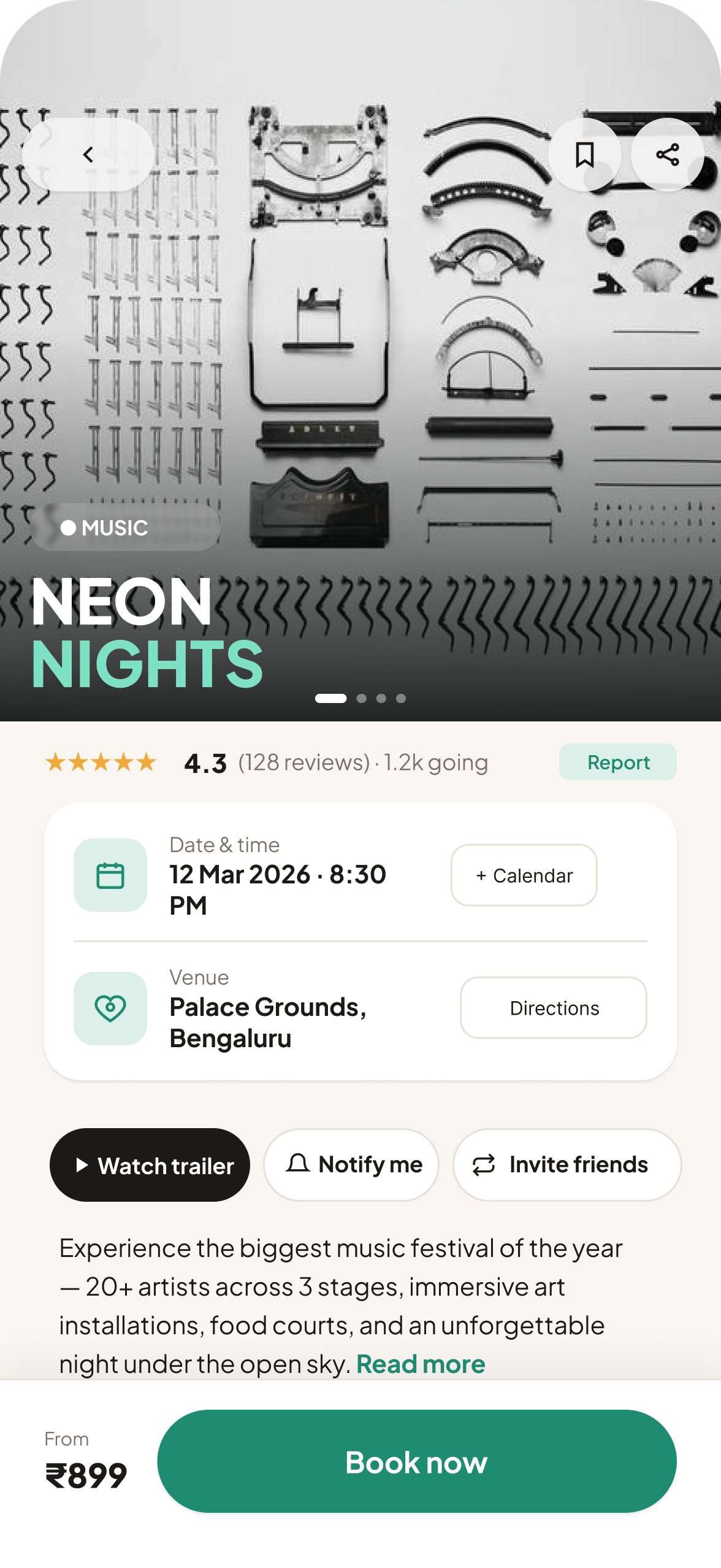
The event page brings the key details together without overwhelming the screen.
DateLocationPriceOrganizer
Decide screen — Eventra event details
05.4 — Plan

Found something? Save it and plan around it.

Saved plans give people a place to collect outings and revisit them later.
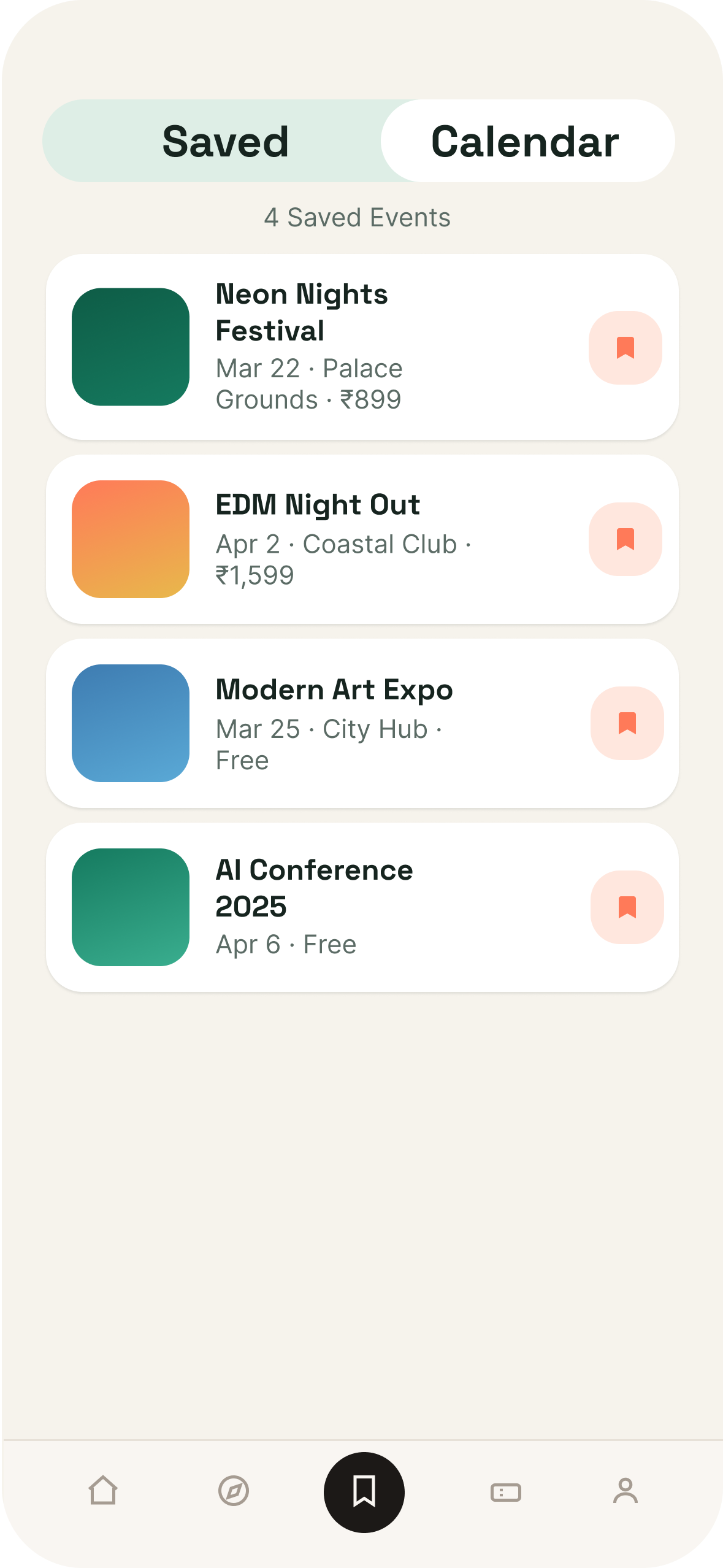
SavedCalendarNotificationsShare
Plan screen — Eventra saved events
05.5 — Book

Once you're ready, booking gets out of the way.

Ticket selection to confirmation, with no unnecessary noise.
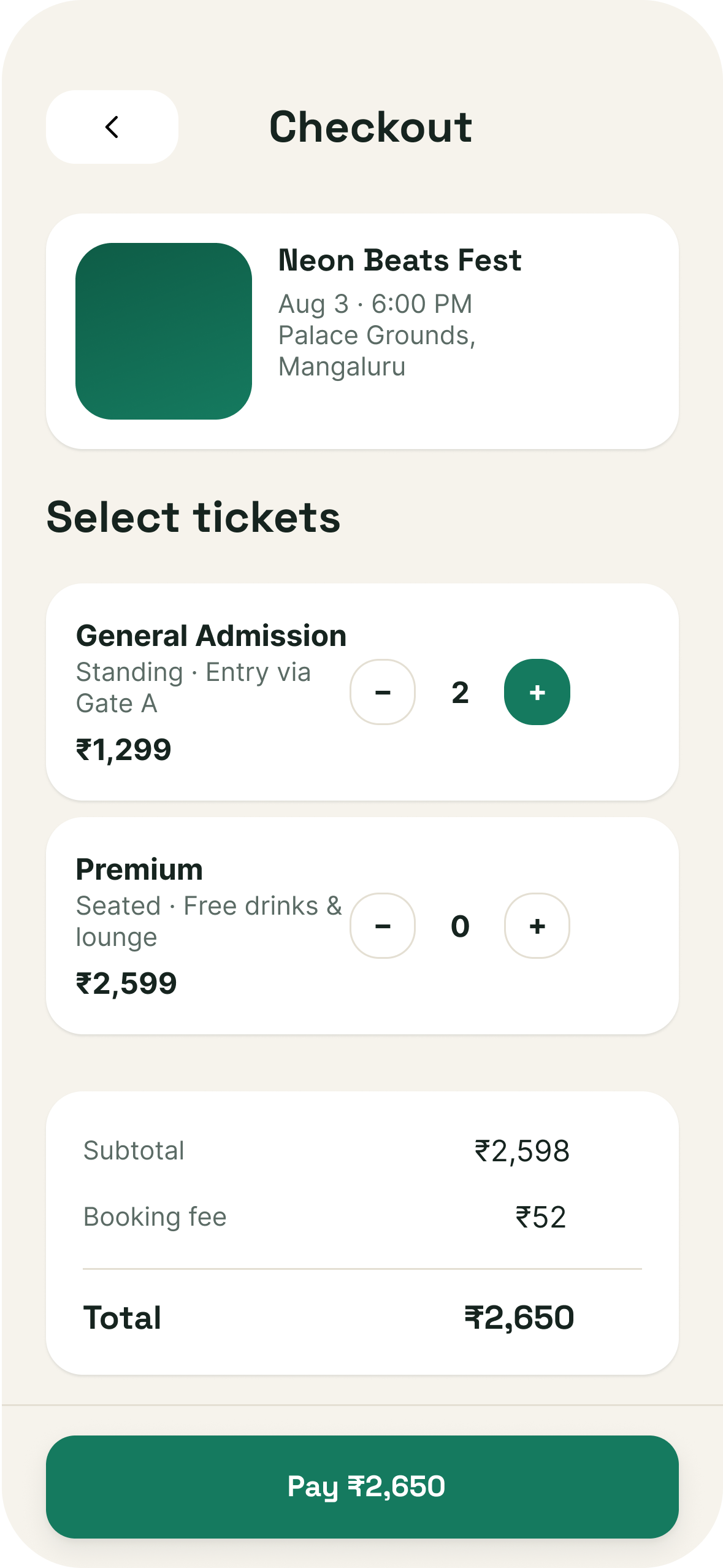
TicketQuantityCheckoutConfirmation
Book screen — Eventra checkout
05.6 — Manage

The experience doesn't end after payment.

Your ticket stays accessible and your event stays organised.
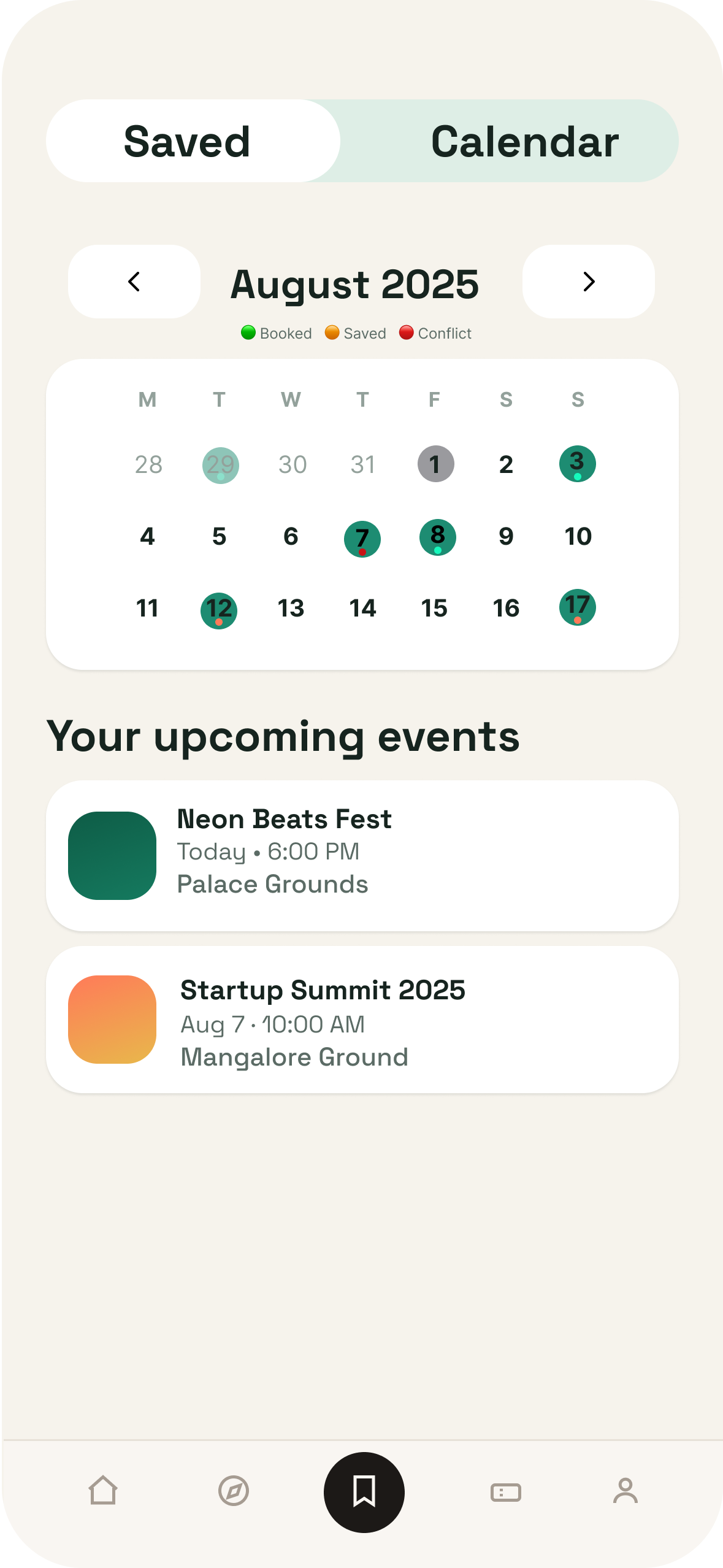
QR TicketCalendarProfile
Manage screen — Eventra ticket
06 — The Two Sides

Events have two sides.

Someone has to discover the event. Someone has to create it.

EVENTRA
Attendee
Discover↓ Explore↓ Decide↓ Plan↓ Book↓ Manage
Organizer
Create↓ Add Details↓ Set Tickets↓ Publish↓ Manage

One platform, connecting the people who experience events with the people who create them.

07 — The Complete Product

Explore the complete Eventra product, screen by screen.

Every screen from both sides of the platform — the attendee experience and the organizer experience.

01 — Attendee Flow

From discovering an event to having your ticket ready.

Nine screens, start to finish — discover, decide, book and manage, all in one connected flow.
Discover→ Decide & Book→ Experience & Manage
Splash screen
01Splash
→
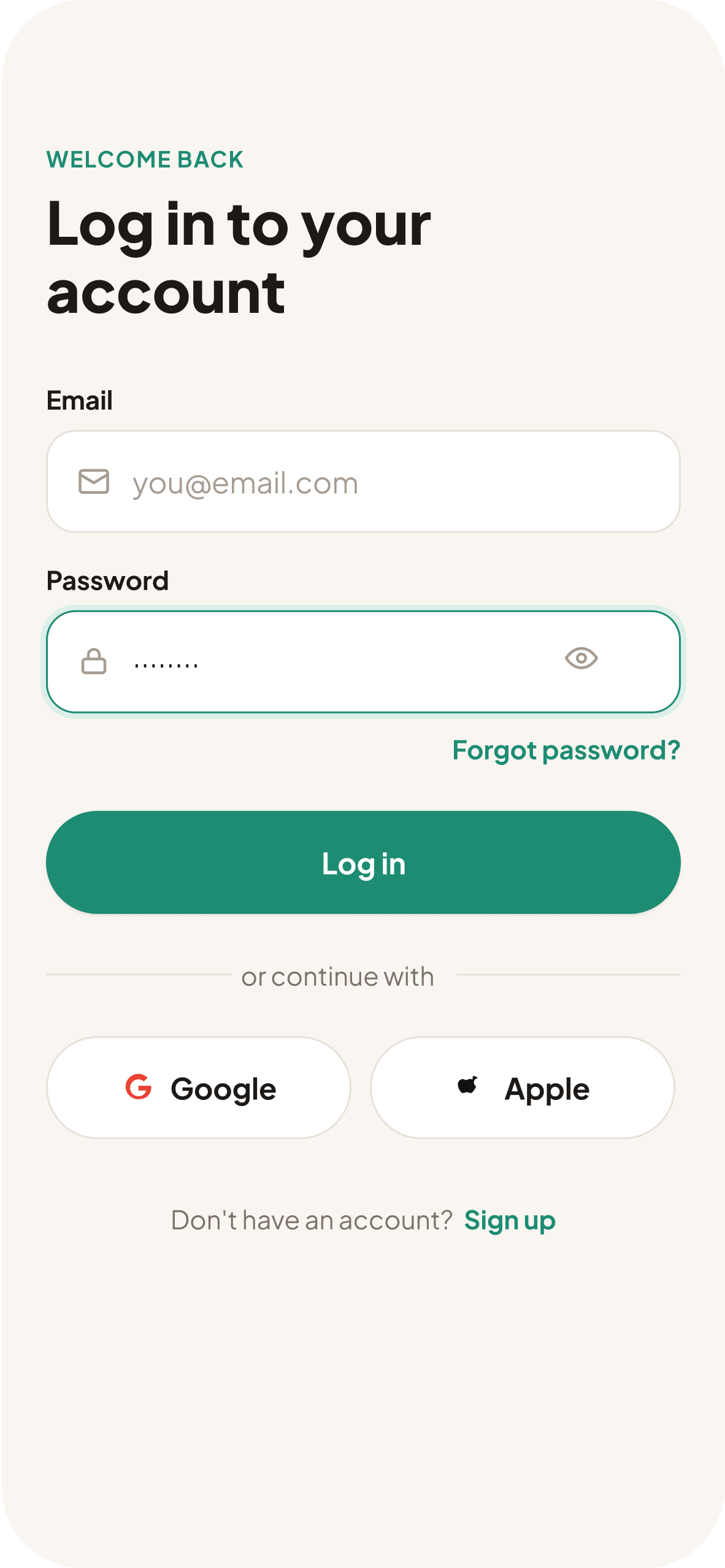
Login screen
02Login
→
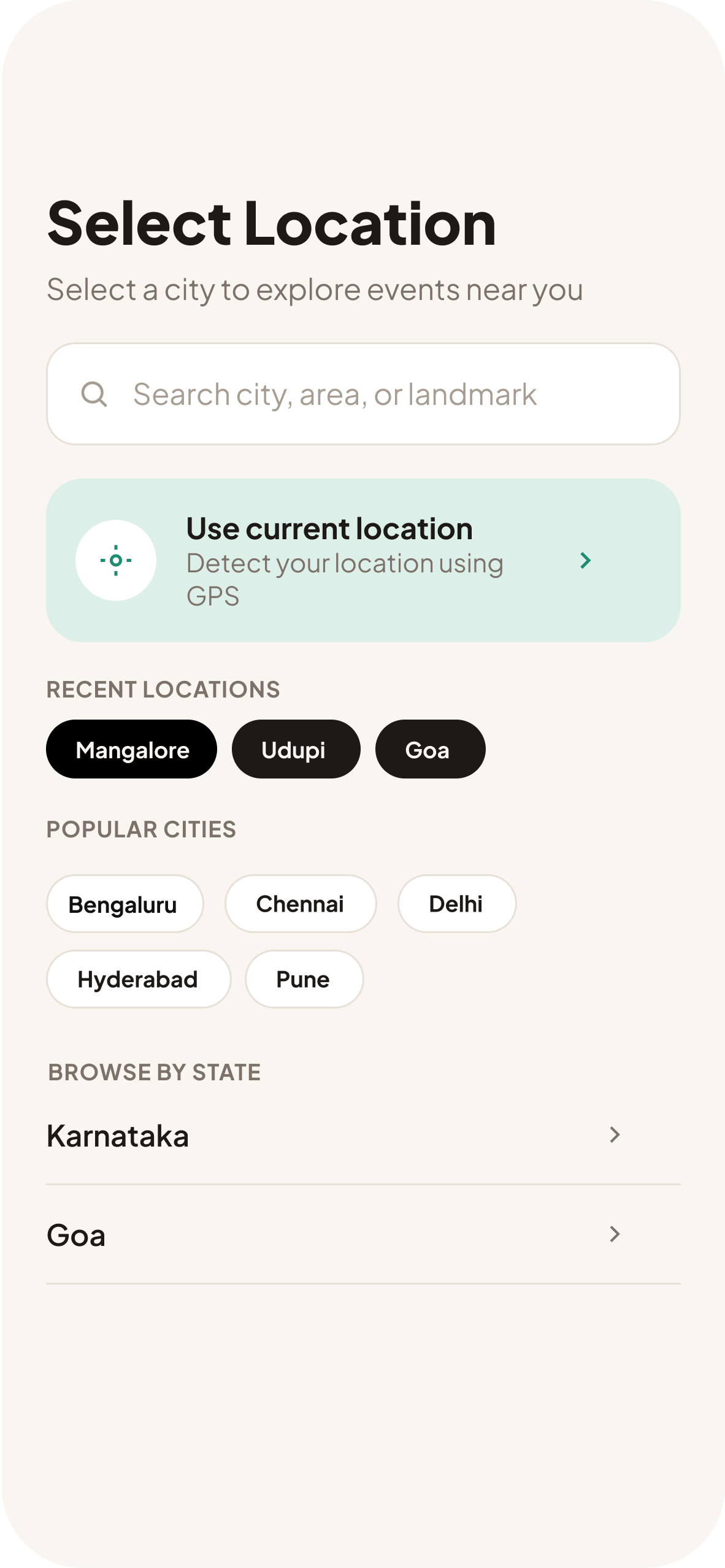
Select location screen
03Select Location
→
Home screen
04Home
Decide & Book
Event details screen
05Event Details
→
Checkout screen
06Checkout
→
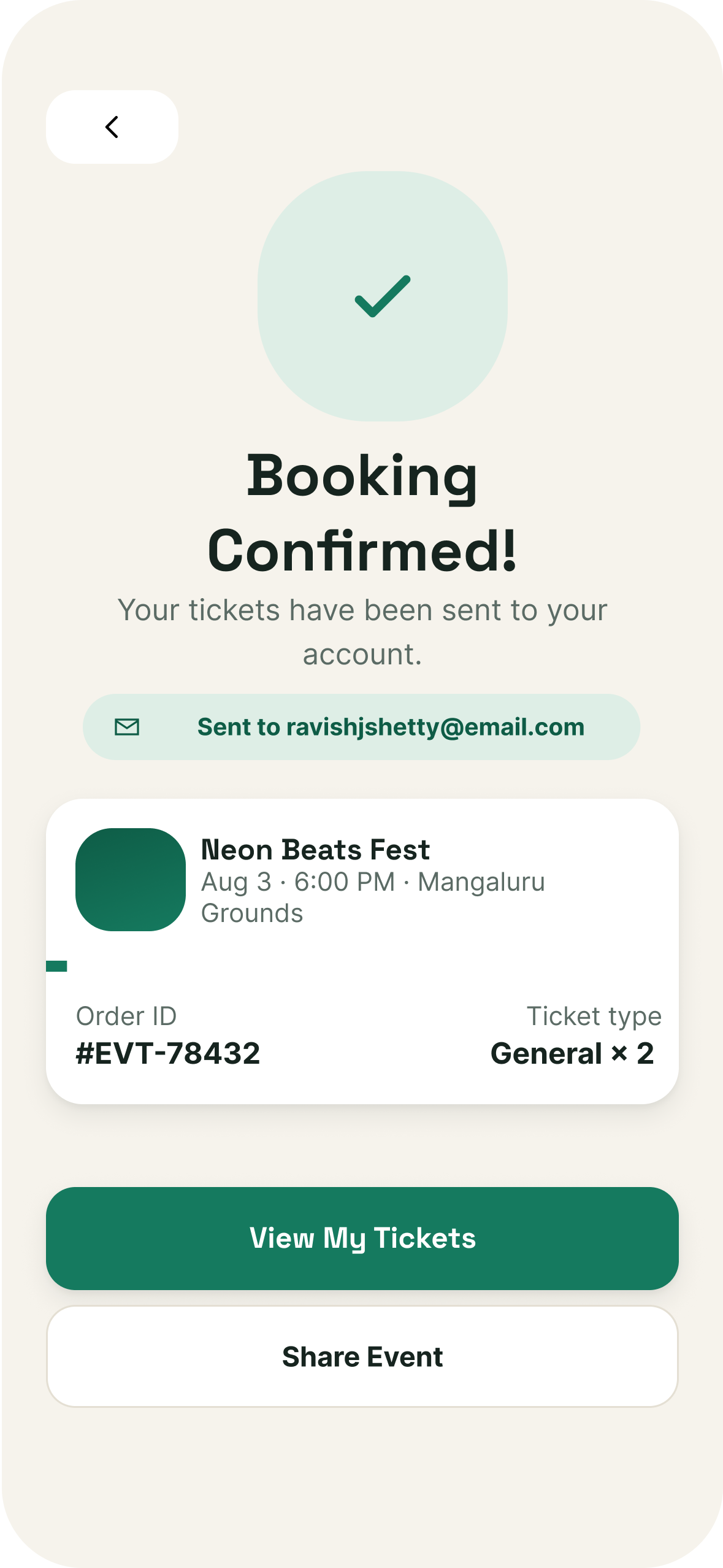
Booking confirmed screen
07Booking Confirmed
Experience & Manage
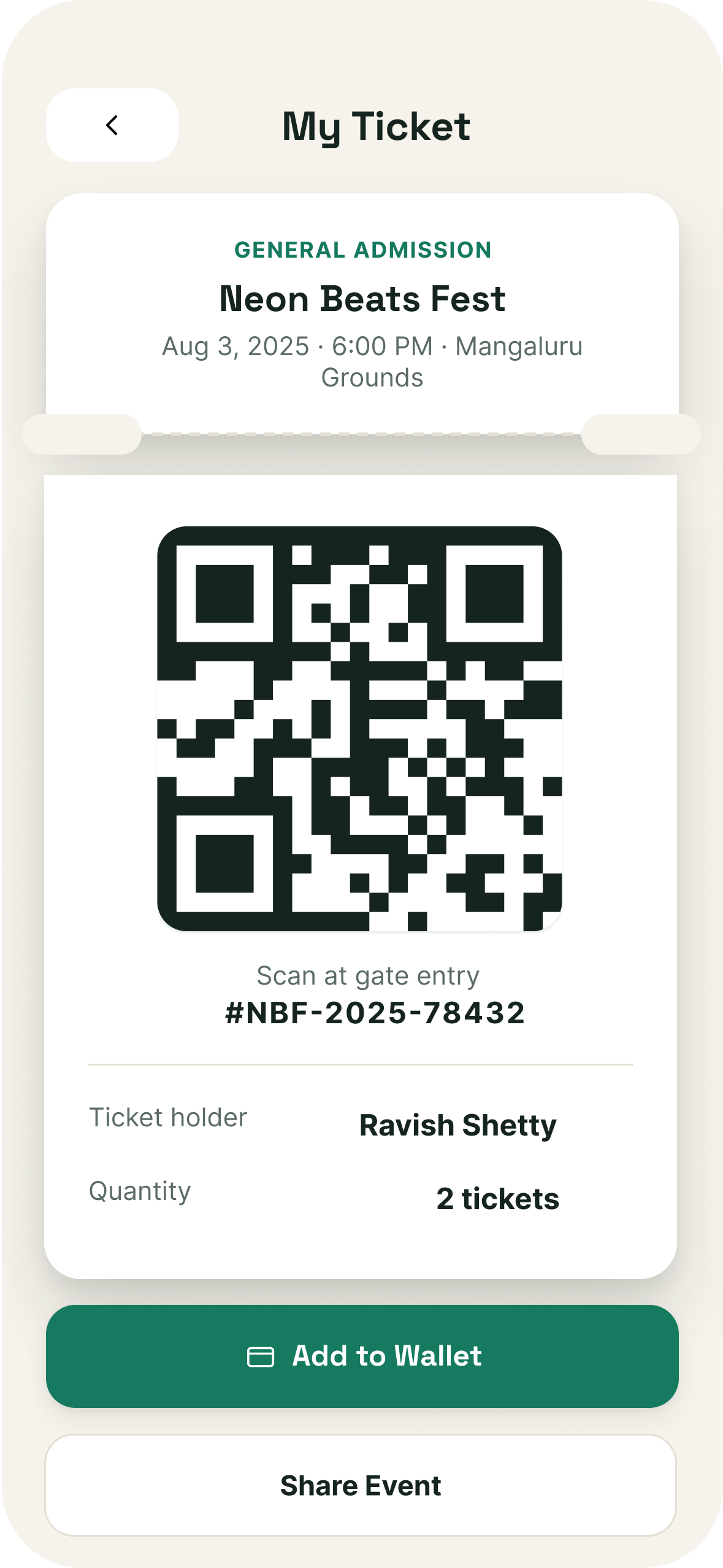
My ticket screen
08My Ticket
→
Calendar screen
09Calendar
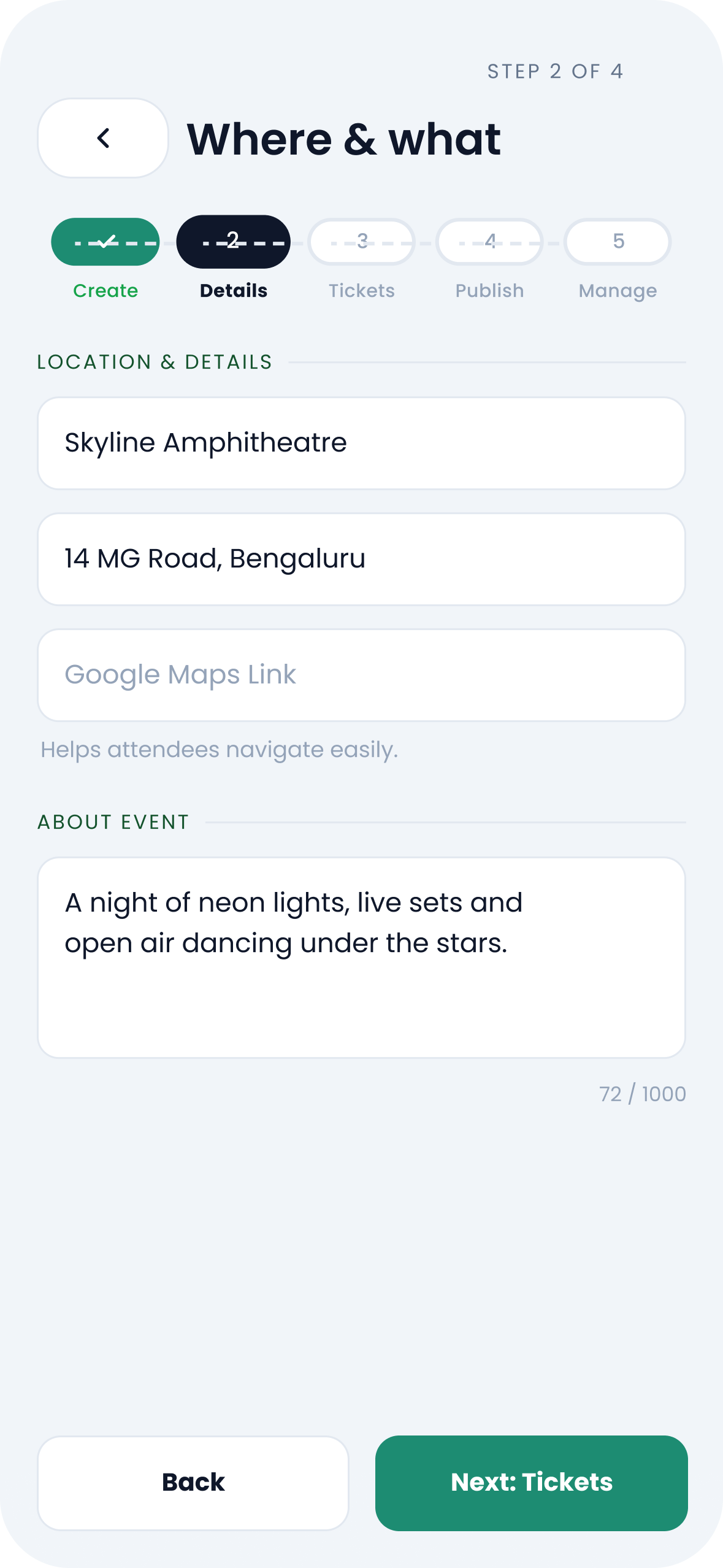
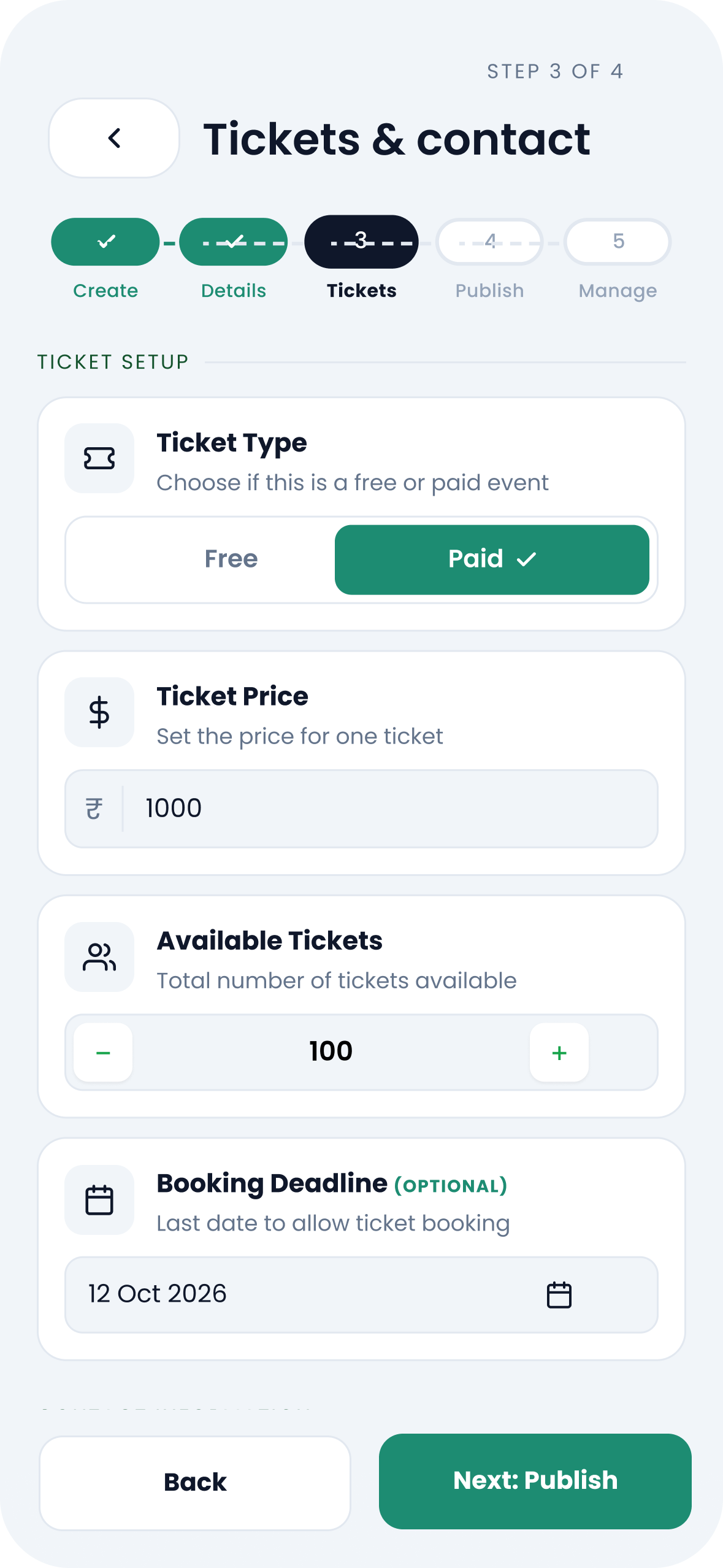
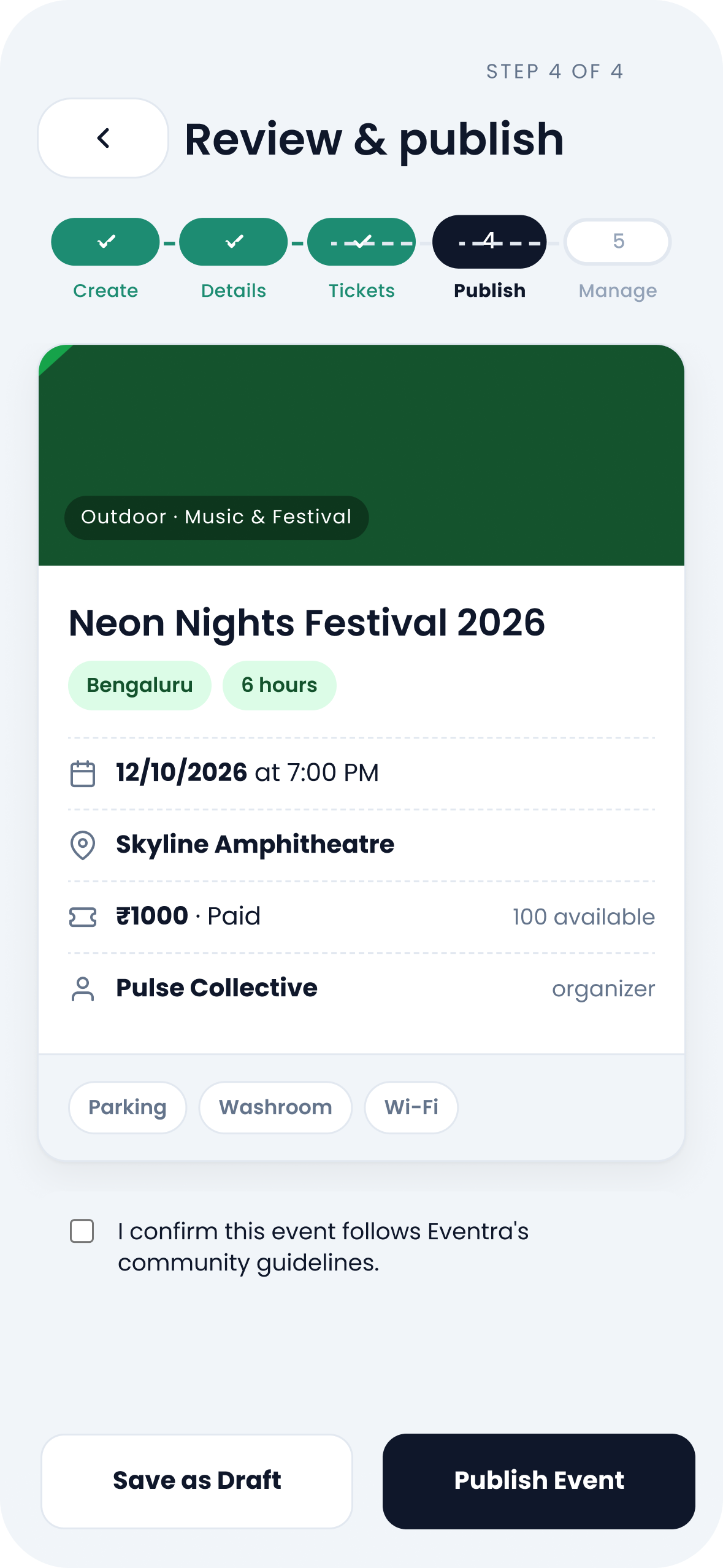
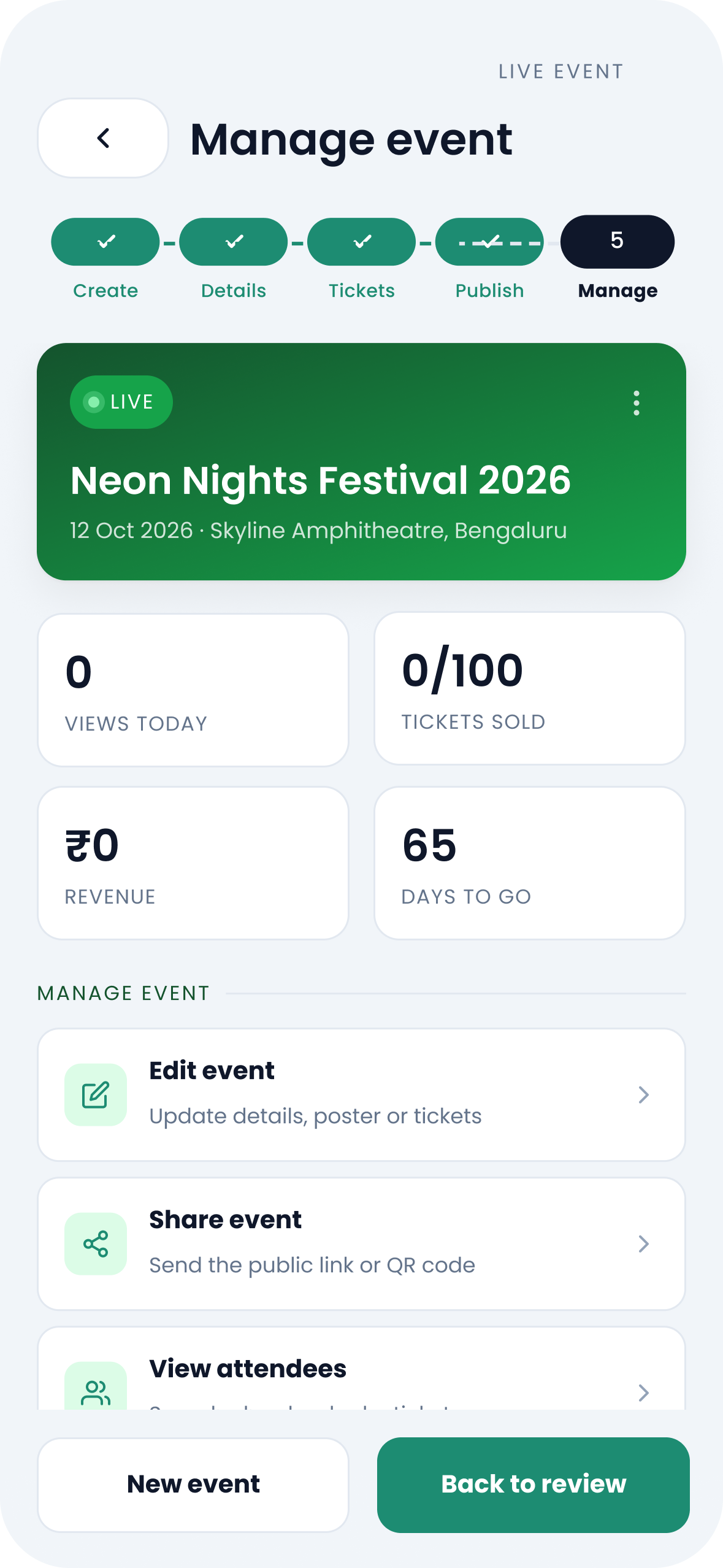
02 — Organizer Flow

From an idea to a published, managed event.

Five screens covering how organizers create, prepare and publish an event on Eventra.
Create→ Prepare→ Publish & Manage
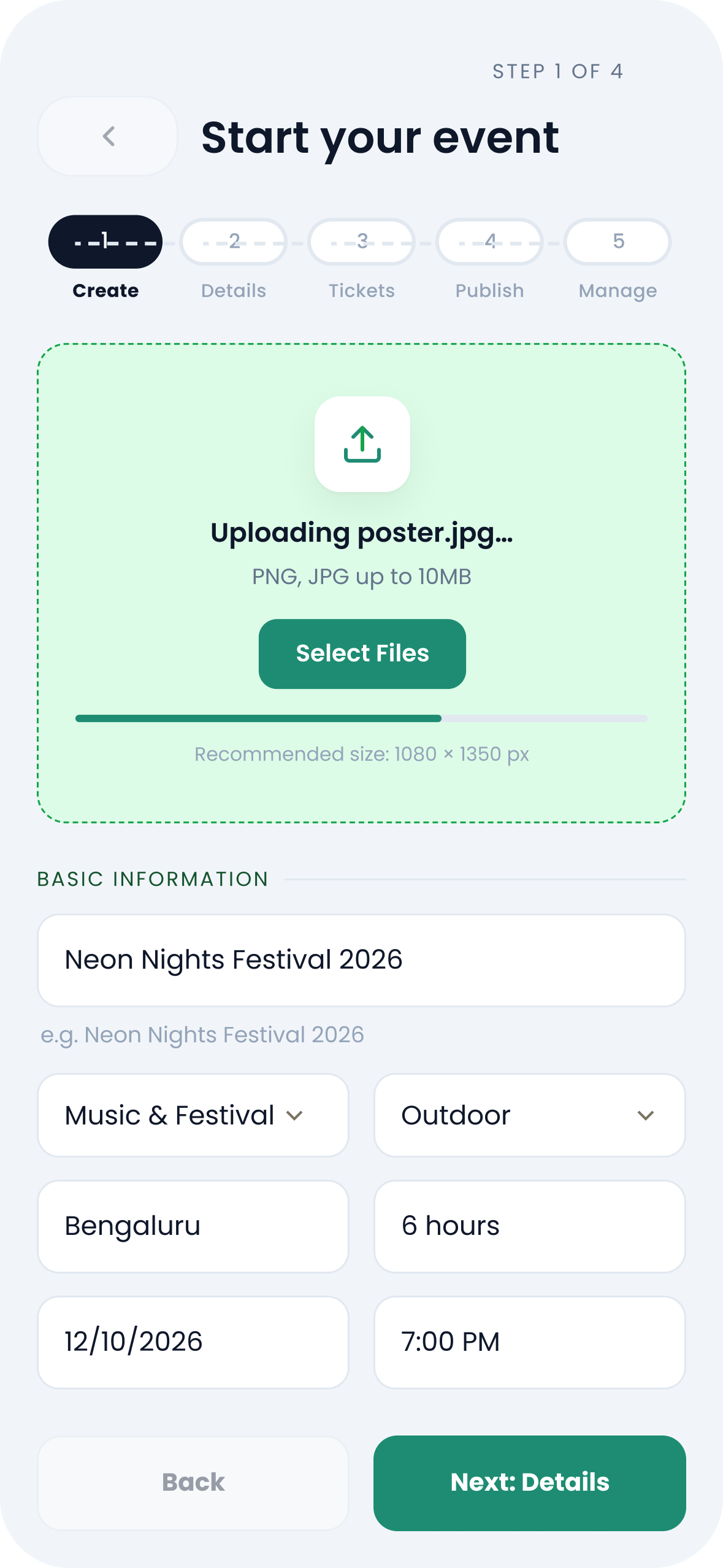
Create event screen
01Create Event
→
Event information screen
02Event Information
→
Ticket and pricing screen
03Ticket / Pricing
→
Publish screen
04Publish
→
Manage event screen
05Manage Event
One platform.
Two experiences.

For the people discovering events.
For the people creating them.

Attendee↔Eventra↔Organizer
08 — The System

Consistency shouldn't be accidental.

Typography
Poppins
Color
Components
ButtonsCardsPillsInputsNavigation
Icons
Search · Calendar · Ticket · Save · Profile · Notification
09 — The Whole Journey

The whole journey.

Different needs, one connected experience.

Attendee
Discover→ Explore→ Decide→ Plan→ Book→ Manage
↓
Organizer
Create→ Publish→ Manage

Eventra connects the moments around an event — from creating it to experiencing it.

10 — Experience It

Don't just read about Eventra. Try it.

Explore the interactive prototype and experience the journey yourself.

View Prototype →
11 — Looking Back

I started with an event app. I ended up thinking about everything around the event.

Designing Eventra made me look beyond the moment of booking. The experience starts much earlier — with discovery, continues through planning, and stays useful even after the ticket is booked.

"Good product design isn't always about adding more. Sometimes it's about making the whole journey feel connected."

Eventra taught me to design the moments between the screens, not just the screens themselves.

Next up

Busflow. →

A smarter way to navigate everyday commutes.